POCKET FACTORY
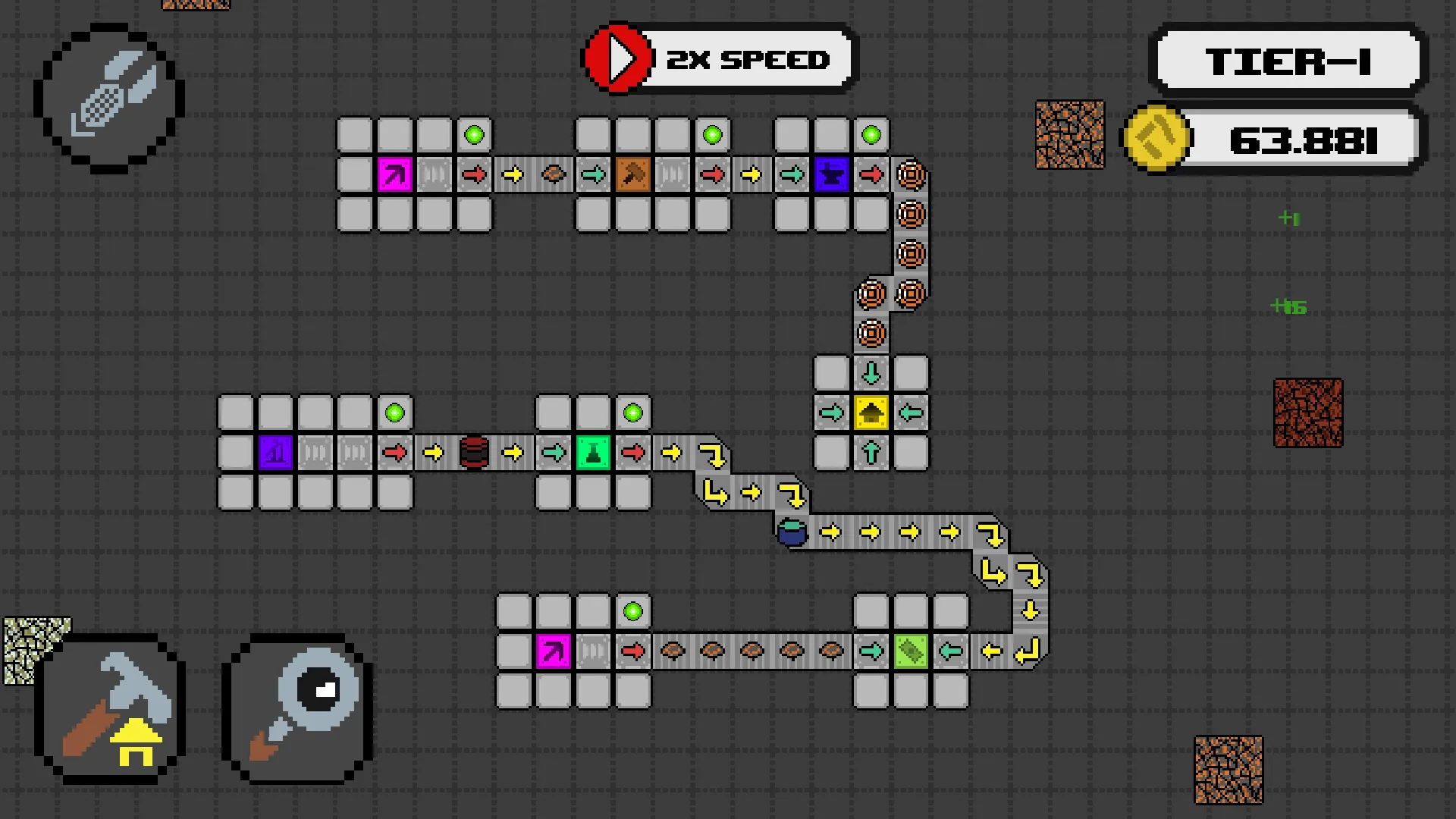
A factory-building game for your phone, out now on Google Play. Mine raw ore, lay belts, chain machines into production lines and export what comes out the other end — climbing from copper wire and glass panes up to handheld consoles and high-end laptops. Your factory keeps running while the app is closed.
The problem
Automation games are built for a mouse, a big screen and long sessions. On a phone you get a thumb, a small screen and two minutes at a bus stop. The factory has to be readable at a glance, buildable by touch, and still worth coming back to after a day away.
What I built
- A 100×100 build grid with ghost previews that show valid and invalid placement live, plus a resource layer of sand, oil, copper and bauxite nodes that extractors sit on.
- A fixed-rate tick simulation. Every half second, belts move and machines run their recipes. Each belt line is one path that ticks back to front, so items move exactly one step and never skip.
- Self-assembling belt paths. Placing a belt joins or extends its neighbouring paths, and removing one rebuilds them, so the player never manages lines by hand.
- A port-based inventory system. Every machine declares its input and output ports as offsets that rotate with the building, which lets splitters, mergers, storage and export stations all connect through the same interface.
- A data-driven production chain. 18 building types, 26 items and recipes, 3 tiers and a 43-node research tree, all defined as ScriptableObjects so balancing never needs a code change.
- Offline progress. When you come back, the game replays the time you were away and shows it on a “catching up” progress bar. Elapsed time comes from the server’s clock rather than the phone’s, so winding the device clock forward earns nothing.
- Predictive notifications. No code runs while the app is closed, so the game uses your factory’s live production rates to work out when you will hit the next milestone, and schedules a local notification for that moment.
- English and Turkish localisation, with the language picked from the device setting.
Saving without losing anything
Every change goes to a local save within half a second, so progress is safe even with no signal. The cloud copy is a backup on top of that: uploads are batched every 30 seconds and sent one at a time so they can never arrive out of order. If the cloud save cannot be read, the game refuses to overwrite it.
Tech
Unity 6, 2D URP, C#. Unity Gaming Services handles anonymous sign-in and Cloud Save, so there is no account and no login screen. No ads, no analytics. Shipped on Android as an App Bundle.